
Bolt for WordPress. Installed in five minutes.
Download the plugin, upload it to your WordPress admin, and Bolt starts answering shoppers from your own products, pages and policies.
Download the plugin Version 1.7.1 · 5.9 MB · for WordPress 6.5+, PHP 8.0+ and WooCommerce 9.4+

Before you start.
The plugin is free. It runs on a self-hosted WordPress site with WooCommerce, and talks to the GoBolt service for the answers.
- WordPress 6.5 or later, with PHP 8.0 or later.
- WooCommerce 9.4 or later. Tested through WooCommerce 10.9.
- An administrator account, so you can upload a plugin.
- A GoBolt account. The plugin creates one for your store the first time you open it, on the Free plan.
Install it.
Four steps in your WordPress admin. No code, no theme changes.
-
Download the zip
Press the button above. Keep the zip as it is: WordPress wants the whole file, not its contents.
-
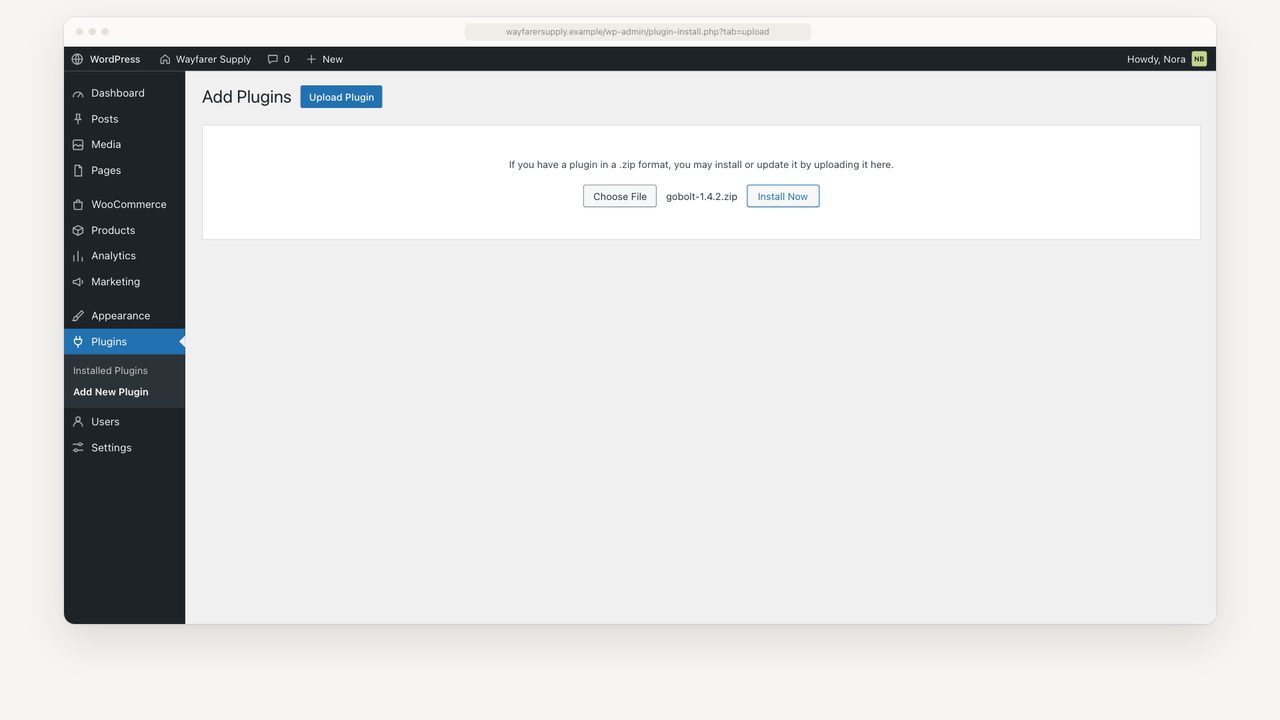
Upload it under Plugins
In your WordPress admin, open Plugins, then Add New Plugin, then Upload Plugin. Choose the zip and press Install Now.
-
Activate it
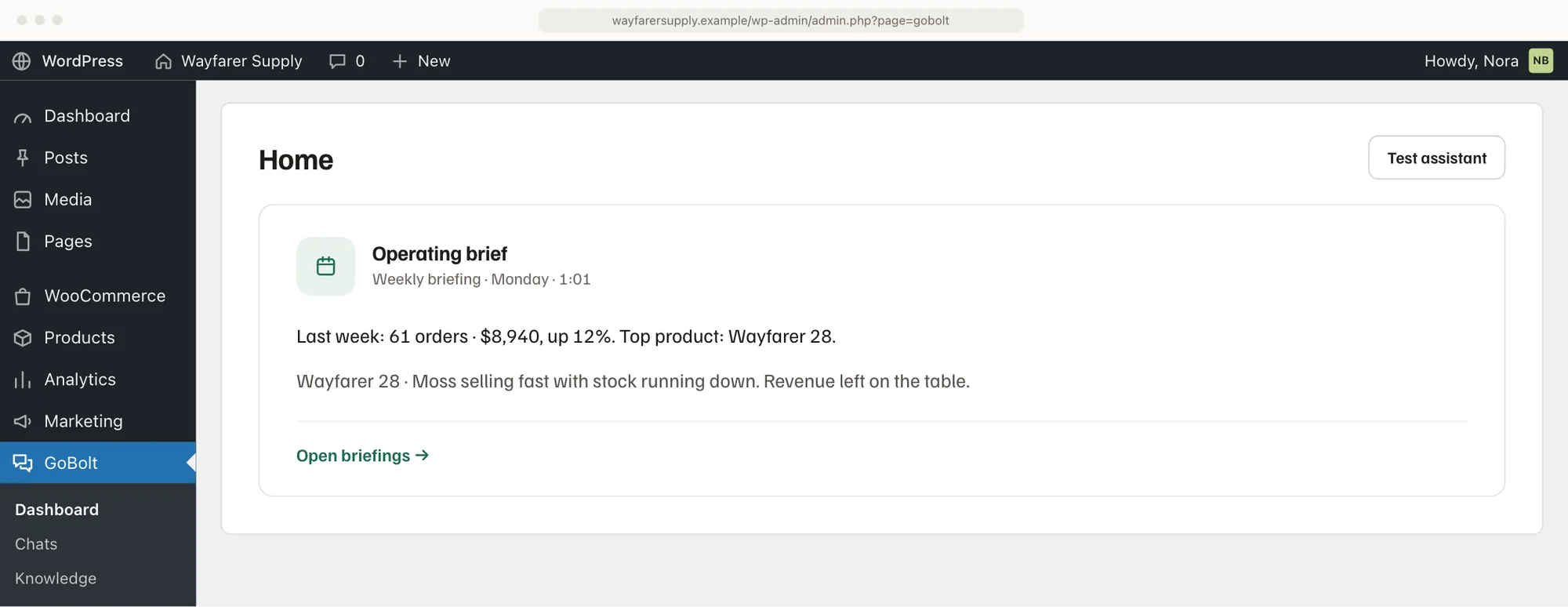
Press Activate Plugin. GoBolt appears in your admin menu, and Bolt starts reading your products, pages and policies.
-
Try the preview, then turn it on
Open GoBolt in the admin menu. Ask the preview a question about one of your products, and when you like the answers, switch the storefront chat on.
Watch it done.
The whole install, from the zip to the first answer, in about a minute.
After installing.
Bolt answers shoppers in the chat window on your store, and says so when it doesn’t know, instead of guessing.
- The chat launcher appears on your storefront once you switch it on. Until then, only the preview in the admin sees it.
- The audio highlight button sits just below Add to cart on your product page, once you make a highlight.
- Link WhatsApp or Telegram from the admin, and your store reports to you there: sales, orders, stock, and the changes that wait for your YES.
- Nothing changes on your store without your confirmation.
Questions.
Is the plugin free?
Yes. The plugin is free, and your store starts on the Free plan. The paid plans, for more room, are on the pricing page.
Does it change my theme?
No. It adds the chat launcher to your storefront and the highlight button below Add to cart on your product pages. Your theme’s files are untouched.
Where is the source?
In the zip. The readable JavaScript behind the admin and the storefront ships under source/, with the package manifests and the build configuration. The plugin is GPLv2 or later.
How do I update it?
Download the new zip from this page and upload it the same way. WordPress asks whether to replace the current version with the uploaded one; say yes, and your settings stay.
How do I uninstall it?
Deactivate the plugin under Plugins, then delete it. The chat and the highlight button leave your store with it. Write to support@gobolt.app if you want your store’s data removed from GoBolt too.
Something went wrong. Who do I ask?
Write to support@gobolt.app with your store’s address and what you saw, and a person answers.
Make room for what’s next.
Install the plugin, or see Bolt on a WooCommerce store first.